Voice-first capture
Speak or type when a thought appears. Memora labels what it is — ideas, to-dos, notes, reminders, and more — not another blank page.
Memora
Turn fleeting thoughts into an organized, searchable memory. Capture by voice or text, stay on top of what needs attention, and ask when you need something back.
Who it's for
Ideas vanish into Notes, chat threads, and half-finished drafts. Memora gives those thoughts a calm home — life and work, captured once, findable later.
Features
Capture fast. Organize automatically. Ask your memory. Keep Life and Work contexts clear.
Speak or type when a thought appears. Memora labels what it is — ideas, to-dos, notes, reminders, and more — not another blank page.
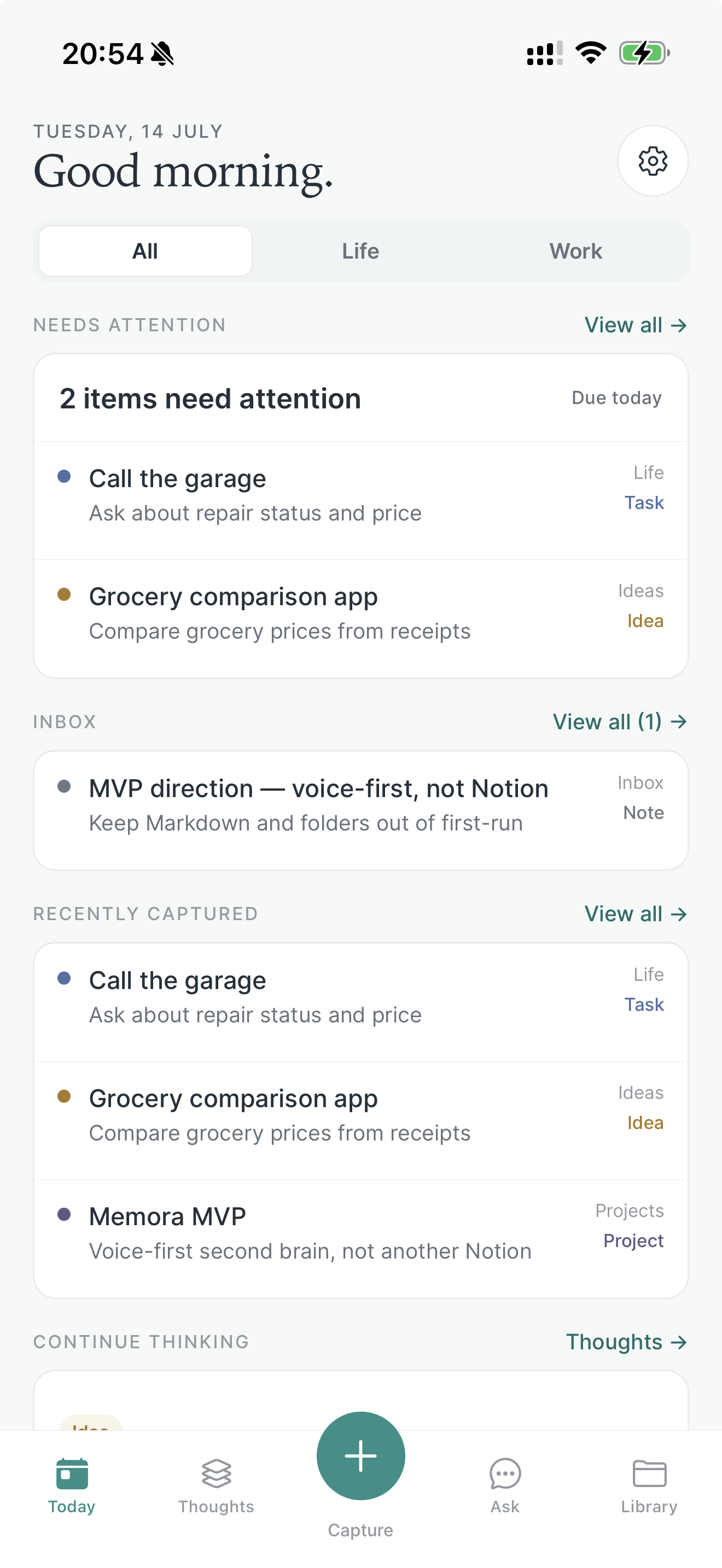
See what is due, overdue, or waiting on you without hunting through lists. Start the day with a calm focus view.
Query what you have captured in natural language. Get answers grounded in your own thoughts instead of scrolling forever.
Filter by All, Life, or Work so personal and professional thoughts stay organized without splitting your brain across tools.
Guest mode lets you try Memora right away. Sign in with Apple when you want Pro. Read more in the privacy policy.
How it works
Three simple steps. Capture once, organize with help, ask when you need it back.
Tap Capture and speak or type. Get the thought out of your head before it disappears.
Review structured thoughts — ideas, to-dos, notes, and reminders — then file where they belong in Library.
When you need something later, ask your memory instead of digging through folders and chats.
FAQ
Short answers on capture, Ask, guest mode, privacy, and availability.
Memora is a voice-first second brain. Capture thoughts quickly, label what they are, file them into Projects, Areas, and Resources, see what needs attention today, and ask your memory questions when you need something back.
Anyone who loses good ideas in chat threads, sticky notes, or half-finished drafts. If you think faster than you can file things away — and want a calmer place to capture, organize, and find thoughts again — Memora is for you.
Tap Capture and speak or type. Memora labels what you said — ideas, to-dos, notes, reminders, and more — so you can keep moving without opening another blank document. File where each thought belongs later.
Ask lets you query your own saved thoughts in natural language. Instead of scrolling forever, you can ask what you captured about a topic and get answers grounded in your memory.
No. Guest mode lets you try Memora without signing in. Sign in with Apple is available when you want synced access and Pro features.
You can download Memora from the App Store.
Not yet. Memora is currently built for iPhone and runs on iOS only.
We designed Memora with care for your privacy. For details on how information is processed, see the privacy policy.
Get the app
Download Memora for iPhone and keep your fleeting thoughts in a voice-first second brain.
Practical guides to capturing ideas, organizing thoughts, and finding what you saved.
Learn what a second brain is and build a simple habit for capturing, organizing, and finding your ideas with examples you can use today.
Make voice notes easier to find and use. Learn a simple capture format, transcription review habits, and a practical workflow for Memora.
Learn where your notes belong with practical examples of Projects, Areas, and Resources, plus a short review routine for your second brain.
A practical Memora workflow: capture thoughts by voice or text, organize your notes, review what needs attention, and ask questions about saved memories.